Preparation
To conduct the infrastructure deployment, we will use the AWS CloudFormation service through the AWS Console or AWS CLI.
Template URL
Download the template below:
CloudFormation Stack
The exercise will be set at us-east-1 (North Virginia).
- Sign in to AWS Console, access the CloudFormation service
- Proceed to create a new Stack by clicking the
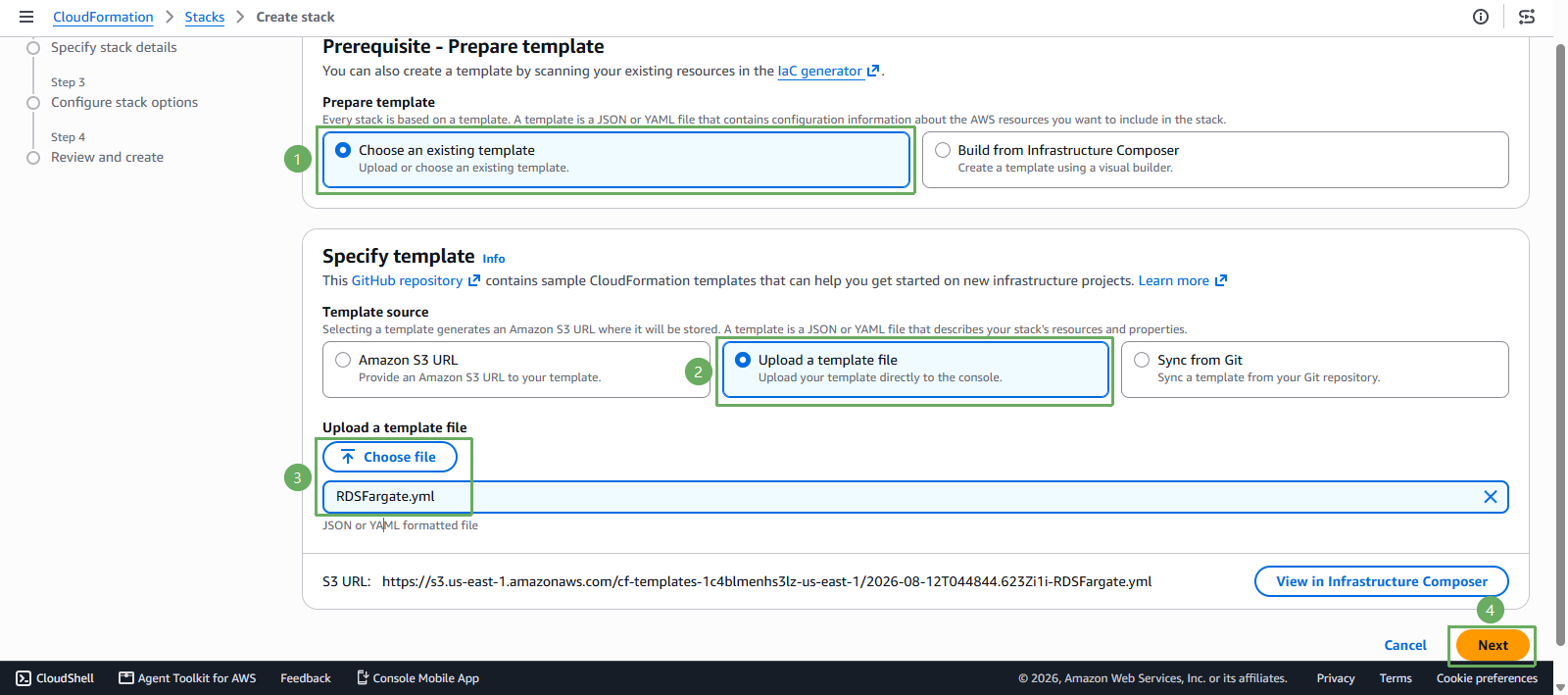
Create Stackbutton. - On the
Specify templatepage, we have 2 ways:- Enter the path of Template URL https://s3.amazonaws.com/sa-security-specialist-workshops-us-east-1/secrets-manager-workshop/RDSFargate.yml in the
Amazon S3 URLbox. (This template is outdated, please use method 2 for practice) - Upload an existing Template using the
Upload a template filebutton.
- Enter the path of Template URL https://s3.amazonaws.com/sa-security-specialist-workshops-us-east-1/secrets-manager-workshop/RDSFargate.yml in the
- Continue to click Next.
- On the
Specify Stack Detailspage, name itFCAJ-Lab96-SecretsManagerand select theNextbutton. - On the
Configure stack optionspage, proceed to accept (Acknowledge) to allow the Template to create IAM roles, and finally select theNextbutton. - On the
Review and createpage, click Submit.
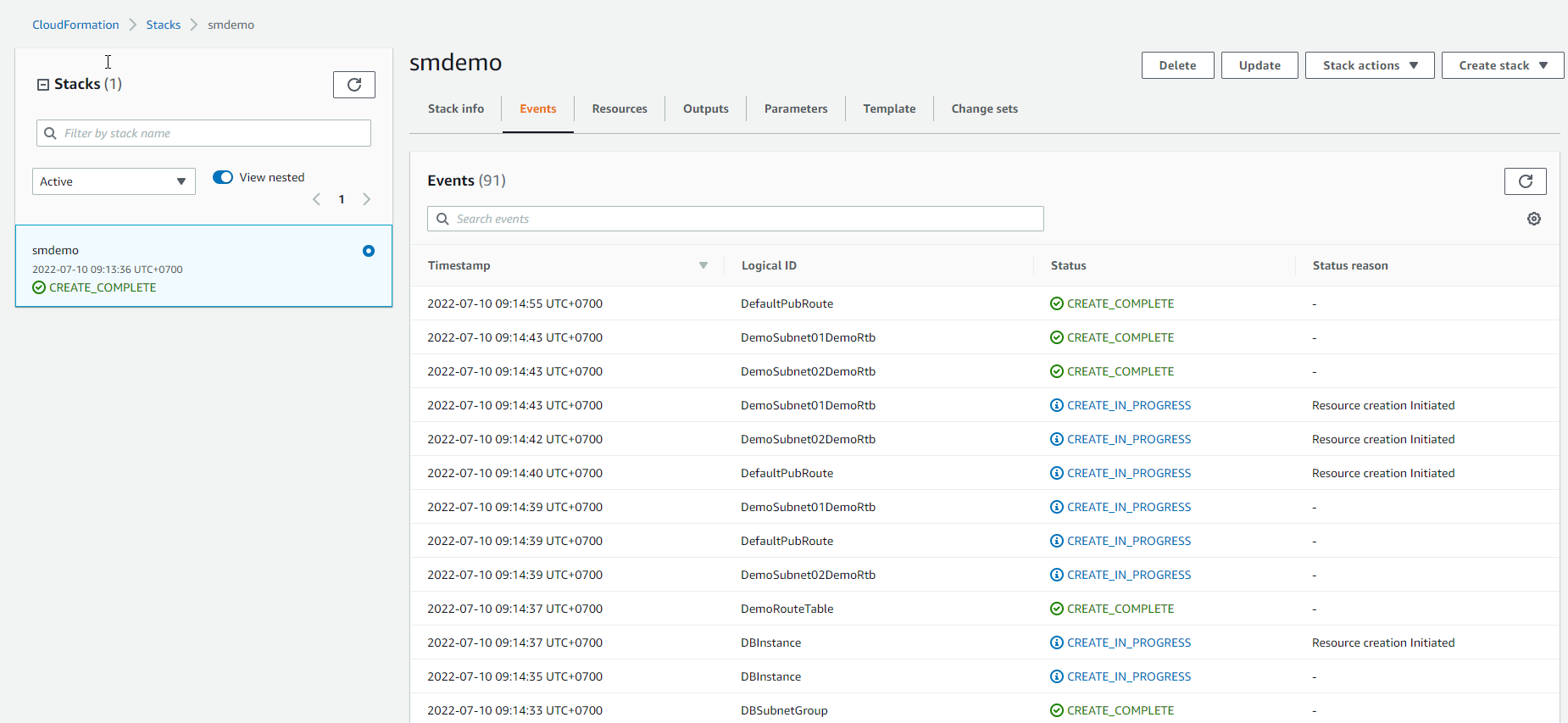
The above process will take 5-10 minutes until we see the status of the Stack as CREATE_COMPLETE.
Parameters
The values below have been defined as default values at Template.
| Ingredients | Value (Required) |
|---|---|
| NamePrefix | smdemo |
| ProjectTag | smproj |
| DBName | smdemo |
| DBPort | 3306 |
| AmazonLinux2AmiId | /aws/service/ami-amazon-linux-latest/amzn2-ami-hvm-x86_64-gp2 |
Stack Outputs
After the CloudFormation Stack has been prepared, we proceed to note all the values in the Outputs section.
The following Output Keys will be used:
| Output Key | Definition |
|---|---|
| BastionIP | IP Address of Bastion Host |
| DBInstance | ID of RDS Instance |
| DBUser | Master User of RDS database |
| DBPassword | Master User’s Password of RDS database |
| EC2UserPassword | Password of ec2-user |
| ECRRepository | ECR repository |
| ECSCluster | ECS cluster |
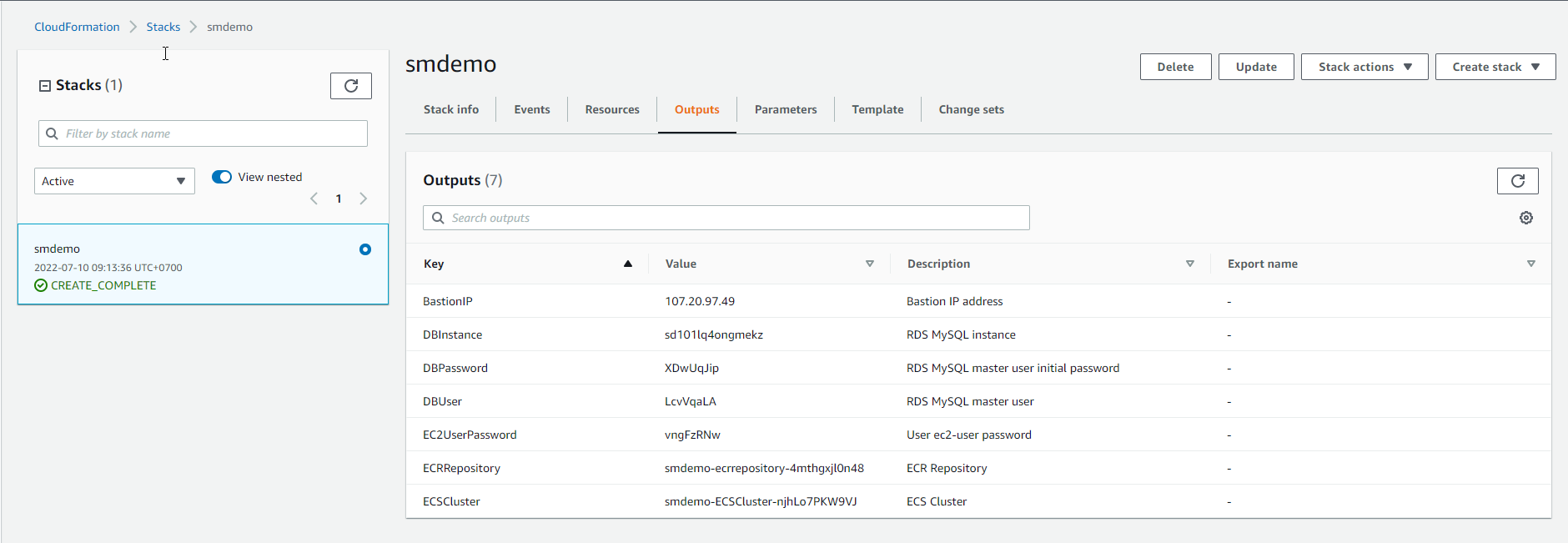
We need to note and note the above values because they will be used for the next sections.